Integrating SailPoint with Oracle ERP Cloud SaaS
Integration
This is an integration and requires additional licensing or subscriptions to utilize it. For more information, contact your customer success manager.
The Oracle ERP Cloud SaaS integration with SailPoint helps in the governance of accounts and groups. End-to-end account management capabilities provide deep governance and visibility into the organization's health.
- The Oracle ERP Cloud Integration Module is used to manage users, roles, and data access of Oracle ERP Cloud.
- The Oracle ERP Cloud SaaS connector uses the Oracle REST APIs.
Note
To view the latest features, enhancements, and fixes for all SaaS connectors, refer to the SaaS Release Notes page.
Supported Features
The Oracle ERP Cloud SaaS connector supports the following features:
Note
Before you can use any of the following items marked with an asterisk (*), SailPoint must activate the feature for your site.
- Aggregation
- Aggregate users
- Aggregate abstract, data, and job roles as entitlement. The role is a group object.
- Aggregate Data Access associated to users
-
*Provision the accounts
-
Create, Update, Delete
Note
To enable the delete functionality, set the
enableDeleteUserAccountconnector attribute totrue. Refer to Delete account fails with an error message for more information. -
Enable, Disable
- Add / Remove Entitlement
- *Access Certifications (certification of entitlements connected to accounts)
- *Password Management
-
For more information on features, refer to Source Features.
Password Management
If Password Management is enabled for your organization, you can change the password for a user of the source. After enabling password management on the source, be aware of the following:
- The password policy defined in SailPoint applies to accounts on this source.
- If you change the password for an application connected to this source, the change will automatically be made to the source itself.
For more information on configuring password management, refer to Password Management Overview.
Privilege Classification
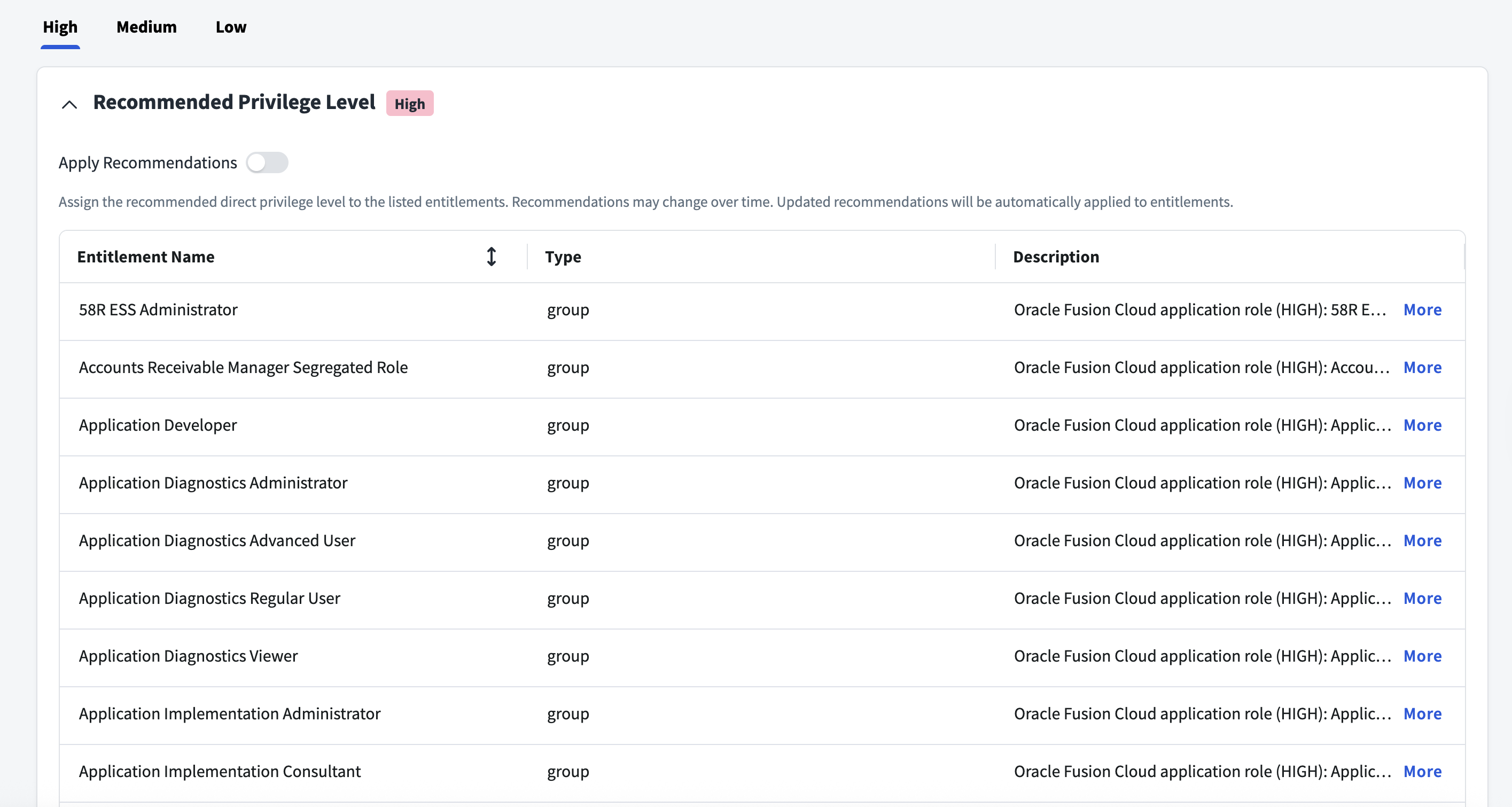
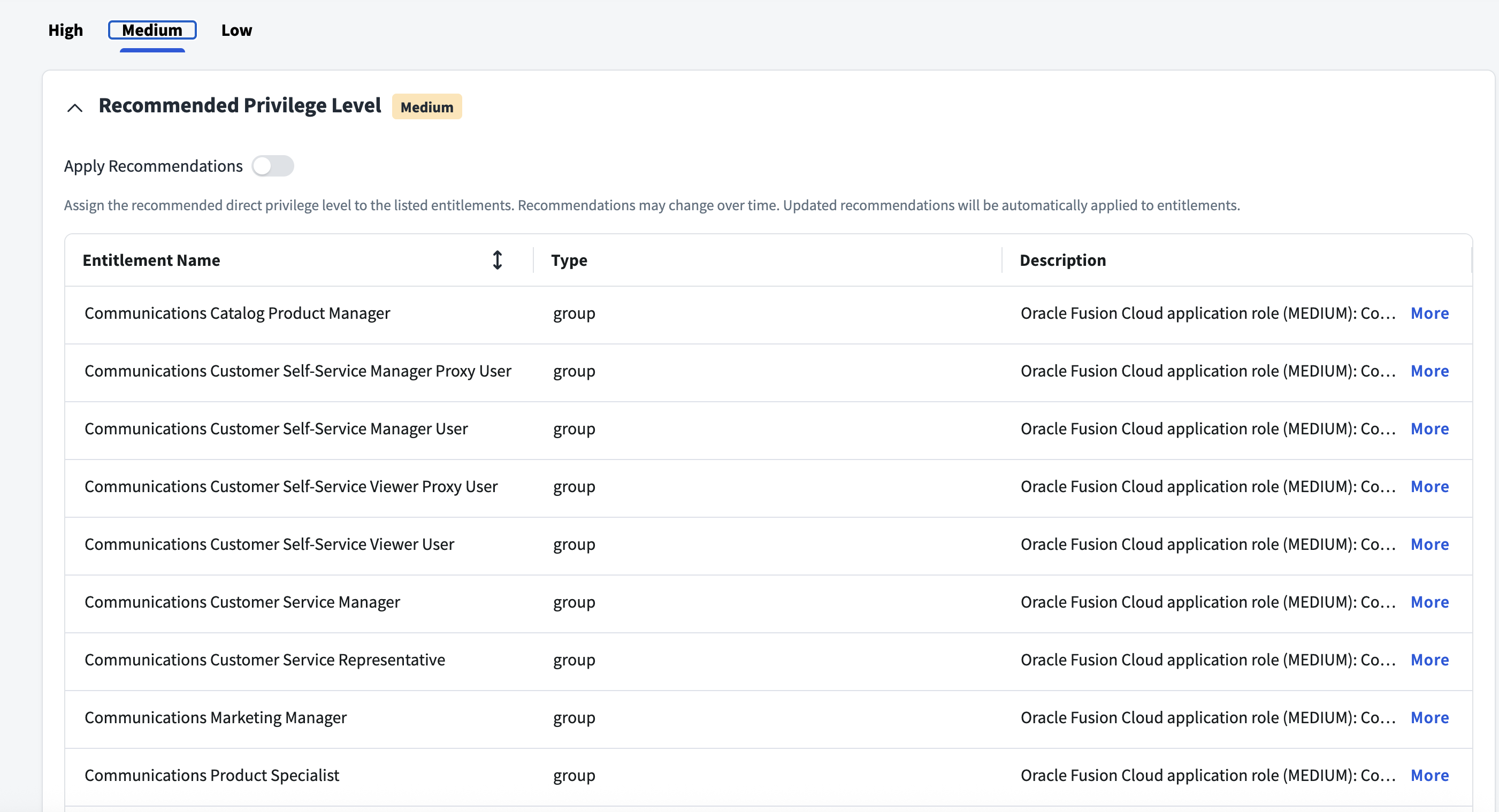
SailPoint Privilege Classification helps organizations systematically categorize and manage the privilege levels of entitlements within their sources. By classifying entitlements as high, medium, or low, administrators can better understand the potential risk and impact associated with specific access rights. This allows automatic assignment of privilege levels based on system recommendations, custom-defined criteria, or a same level across all entitlements.
| Privilege Level | Description |
|---|---|
| High | Administrative level access to accounts |
| Medium | Administrative level access for a specific role or function |
| Low | Only basic access of data |
Note
To manage Privilege Classification, users must have administrative roles such as Org Admin, Source Admin or Source Sub-Admin.
For more information, refer to Managing Privilege Classification.
Example
Prerequisites
- You must set up a service account that has a service role to perform all the operations.
- Prerequisites for Worker Association to user account:
- You must create a Data Role for create or update user with Worker Association. This Data Role needs to be assigned to a service account.
Create a Service Role in the Oracle ERP Cloud System
The Oracle ERP Cloud system requires a service account with a specially configured service role to connect with SailPoint.
- From the Security Console, select Create Role to create a custom job role.
-
In the Function Security Policies tab, assign the following policies:
- Use REST Service - Identity Integration
- Use REST Service - Users and Roles Lists of Values
-
Manage Data Access for Users
Note
This permission is required to manage Data Access.
-
View Summary.
- Select Save and Close.
- Assign the newly created role to the service account.
Create a Data Role in Oracle ERP Cloud
You must create and configure the Data Role for Worker Association.
- Go to Setup and Maintenance > Search > Manage Data Role and Security Profiles.
- Select Create new Data Role and provide a unique name for the Data Role.
- In the Job Role field select Integration Specialist.
- On the Create Data Role: Security Criteria page, select all the required data along with Person Security Profile set to View All People.
- Review the Data Role and select Submit.
- Assign the new Data Role to a Service Account.
Supported Managed Systems
The Oracle ERP Cloud SaaS connector supports the following version and modules:
Version
- Oracle ERP Cloud application system version 20D onward.
Modules
- Financial Management
- Project Management
- Procurement
- Risk Management
Documentation Feedback
Feedback is provided as an informational resource only and does not form part of SailPoint’s official product documentation. SailPoint does not warrant or make any guarantees about the feedback (including without limitation as to its accuracy, relevance, or reliability). All feedback is subject to the terms set forth at https://developer.sailpoint.com/discuss/tos.