Group Schema Query Setup
Set up how the connector queries the JDBC source for account and/or group schema information.
Screenshot
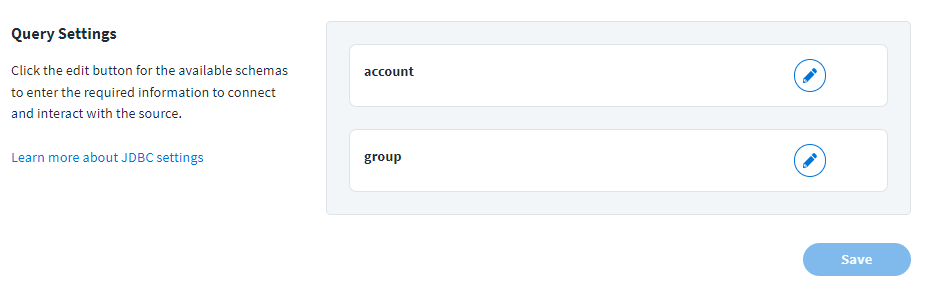
Select the Edit icon  for the schema you want to configure to launch additional settings.
Perform the following tasks to configure the queries for groups, which help with JDBC entitlements.
Group Connection Settings
Enter the connection information to allow SailPoint to locate and connect to the JDBC server to load group information, as well as any group-related functions.
Note
If these fields are left blank, the connector uses the Account Connection Settings.
Screenshot
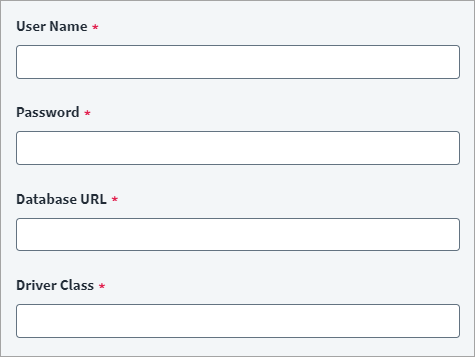
- Enter the User Name required to access the server.
- Enter the Password associated with the user name to access the server.
-
Enter the server's address into the Database URL field. The address should be in the following format:
For example:
-
Enter the Driver Class. For example:
-
Select Save.
Group Query Settings
Configure the SQL queries SailPoint uses to retrieve group data from your JDBC server.
Important
SQL entries can't end with a semicolon (;). Ending an SQL entry with a semicolon (;) can cause a general error message to display.
Screenshot
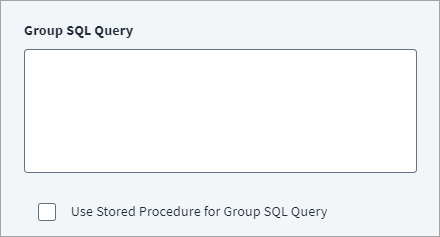
- Enter a SQL query to load groups into the Group SQL Query field. Groups are used for entitlements. Check the Use Stored Procedure for Group SQL Query box to execute a stored procedure on the database.
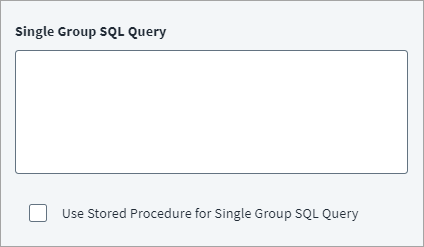
- Enter a SQL query to load a single group into the Single Group SQL Query field. Check the Use Stored Procedure for Single Group SQL Query box to execute a stored procedure on the database.
- Select Save.
Additional Group Query Settings
Set additional query settings to support the SQL queries.
Important
SQL entries can't end with a semicolon (;). Ending an SQL entry with a semicolon (;) can cause a general error message to display.
Screenshot
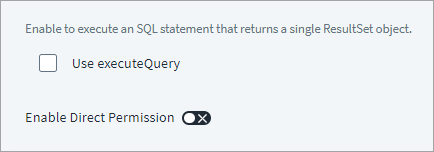
- Check the Use executeQuery box to tell SailPoint to return a single ResultSet object when it queries the JDBC database.
- Enable Direct Permission and add the SQL query. For more information, refer to Direct Permissions.
- Select Save.
Documentation Feedback
Feedback is provided as an informational resource only and does not form part of SailPoint’s official product documentation. SailPoint does not warrant or make any guarantees about the feedback (including without limitation as to its accuracy, relevance, or reliability). All feedback is subject to the terms set forth at https://developer.sailpoint.com/discuss/tos.