Additional Settings
Schedule discovering applications connected to the Browser Extension instance on these configuration pages. You can modify and manage scheduling aggregation directly within the interface.
Discovery Settings
- In the Additional Settings section, select Discovery Settings.
- To aggregate enterprise applications that are connected to your discovery source, select Start Discovering. The aggregation begins immediately and occurs once.
-
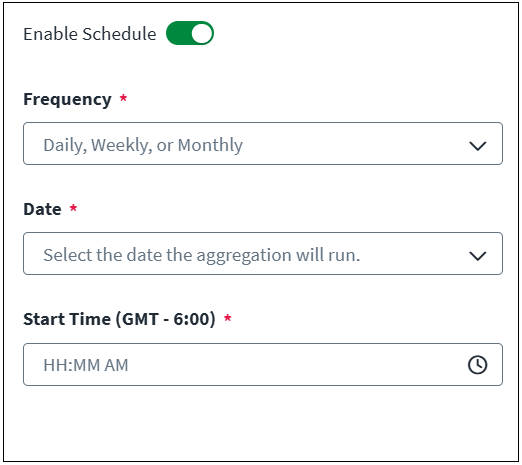
Select Enable Schedule to schedule recurring aggregations.
Screenshot
-
Select the Frequency from the dropdown, and enter the time of day.
-
Daily - Aggregation occurs once per day at the time selected.
- Select the clock icon to choose a Start Time (GMT - 6:00) from the dropdown.
-
Weekly - Aggregation occurs once per week on the day and time selected.
- Select a Day of the week, Sunday - Saturday, from the dropdown.
- Select the clock icon to choose a Start Time (GMT - 6:00) from the dropdown.
-
Monthly - Aggregation occurs once per month on the date and time selected.
- Select a Date of the month, 1 - 28, from the dropdown.
- Select the clock icon to choose a Start Time (GMT - 6:00) from the dropdown.
Note
The time zone (GMT offset) for the entitlement aggregation schedule is determined by the time zone set for the connected virtual appliance cluster.
-
-
Select Save.
Latest Application Discovery
Information about the most recent application discovery is displayed under Latest Application Discovery.
Discovery Activity
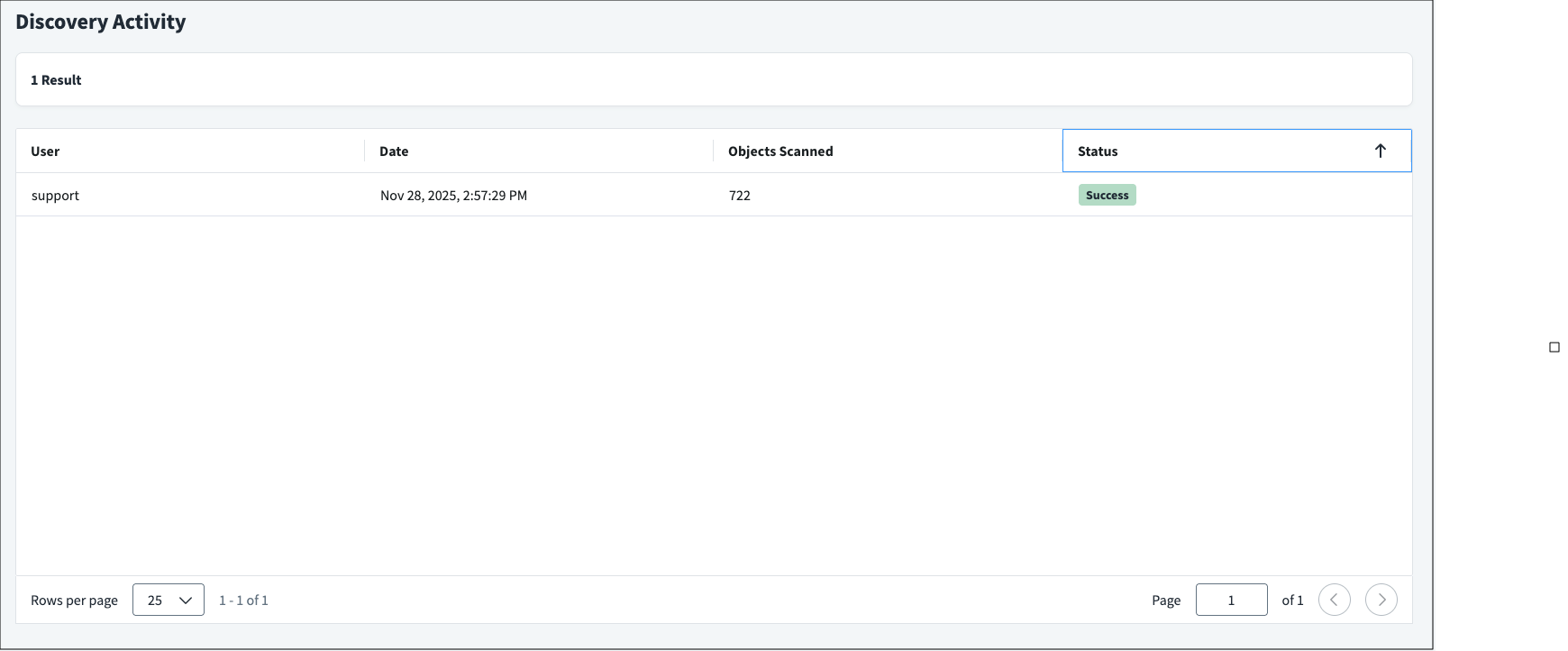
To view the list of all enterprise application aggregations on this source, select Discovery Activity. When applications are being aggregated, an entry is added to the Discovery Activity section. This includes information like the admin who started the aggregation (for manual aggregations), the date and time the aggregation occurred, the number of objects scanned, and its current status. Aggregations are ordered by most recent aggregation task. You can also sort by status to quickly find success, warning, error, and terminated tasks.
Screenshot
Documentation Feedback
Feedback is provided as an informational resource only and does not form part of SailPoint’s official product documentation. SailPoint does not warrant or make any guarantees about the feedback (including without limitation as to its accuracy, relevance, or reliability). All feedback is subject to the terms set forth at https://developer.sailpoint.com/discuss/tos.