Uninstall Update-Set
The sys_id of the update-set based application and store-based application is the same. You need to completely remove the update-set based application before installing the store-based application.
Note
If you encounter any issues contact ServiceNow support. All other customizations should be completely removed.
To uninstall an update-set based instance of the SailPoint ServiceNow Connector application complete the following:
-
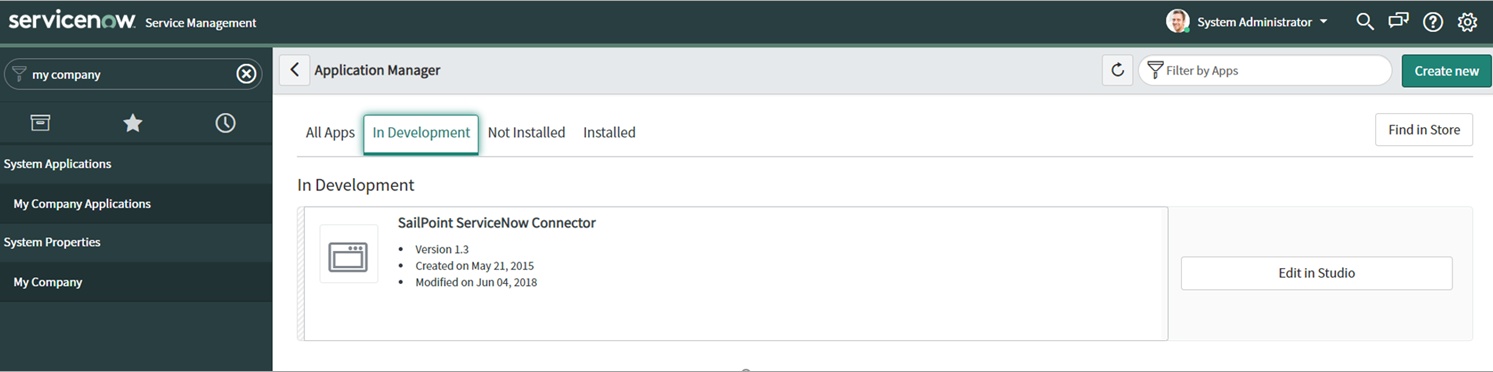
In your ServiceNow instance, go to System Applications > My Company Applications > Application Manager > In Development, and then select the SailPoint ServiceNow Connector tile.
Screenshot
-
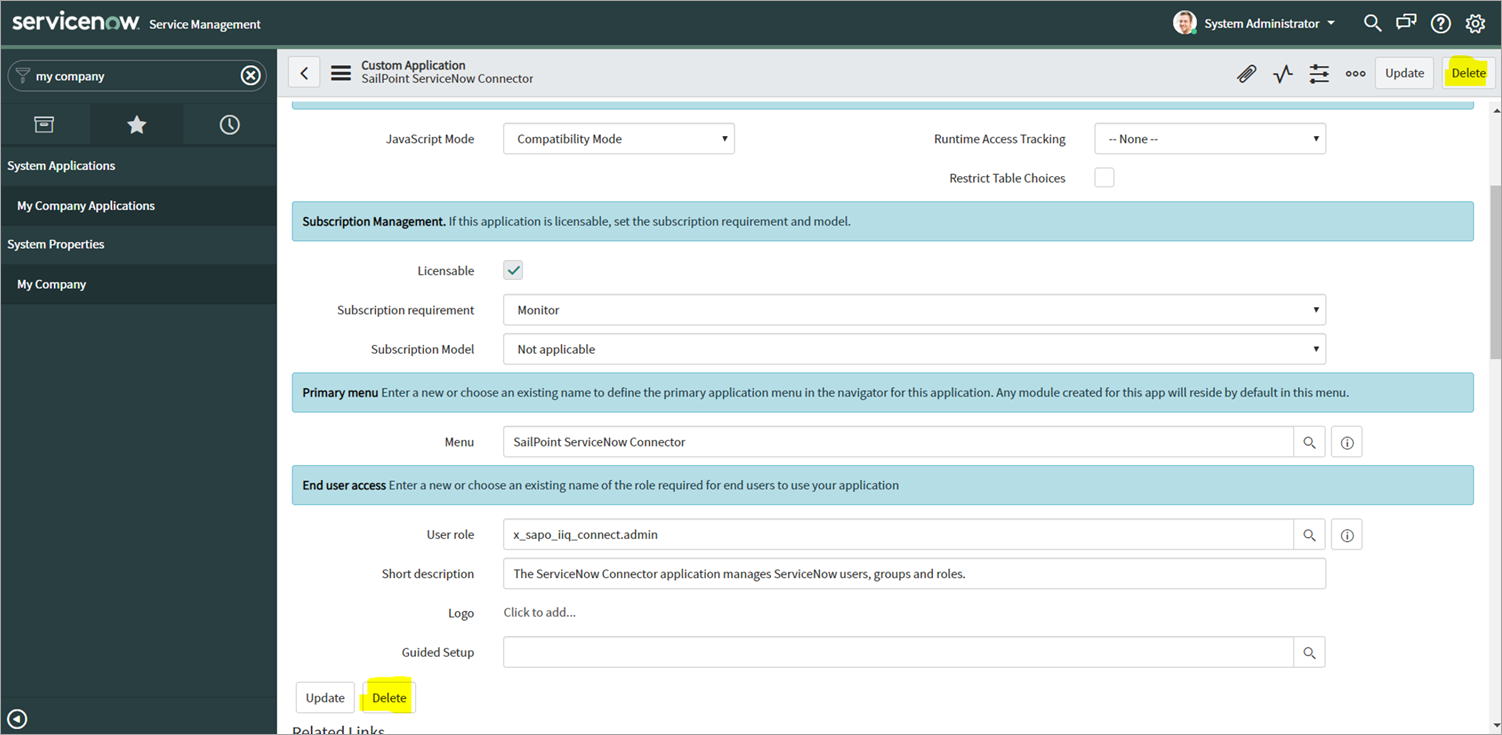
Select Delete.
Screenshot
-
When prompted for confirmation, select Delete.
- Go to System Update Sets > Local Update Sets and confirm that the SailPoint ServiceNow Connector application was deleted. If it wasn't, select the application entry and then select Delete.
-
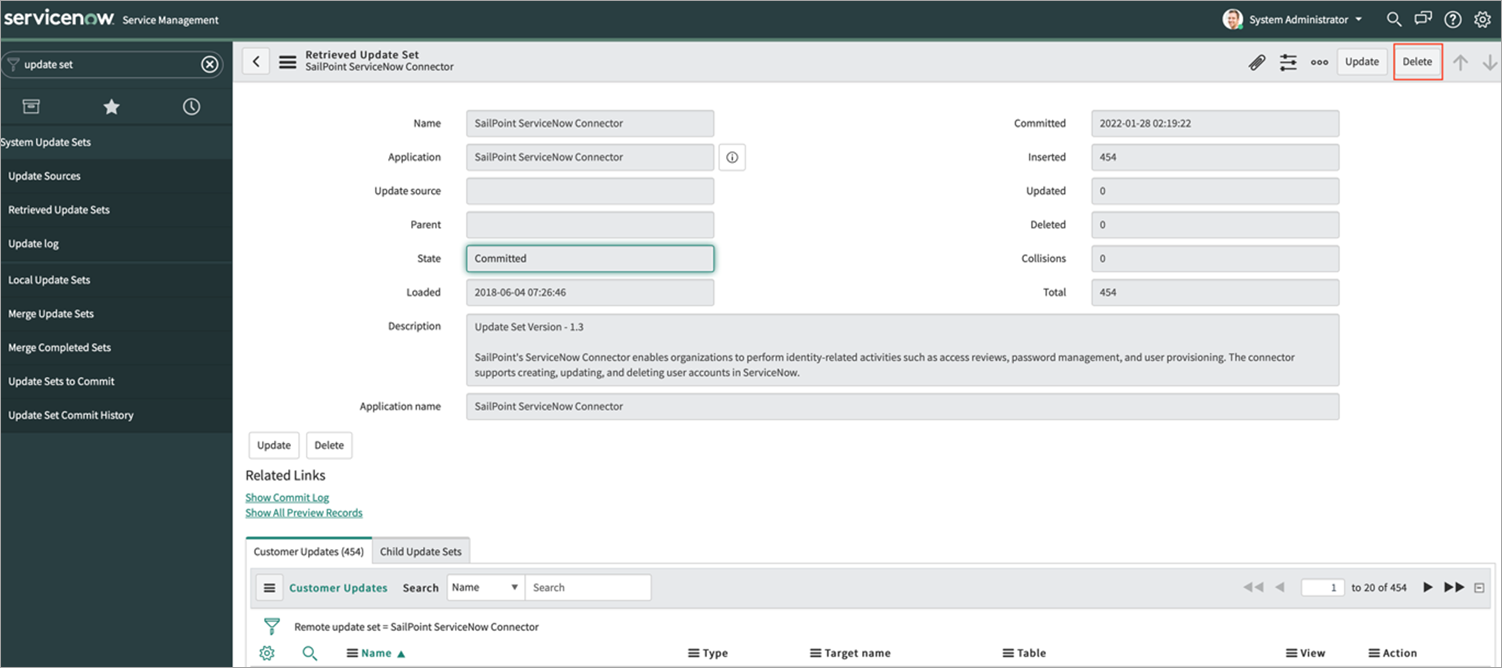
Go to System Update Sets > Retrieved Update Sets and confirm that the SailPoint ServiceNow Connector application was deleted. If it wasn't, select the application entry and then select Delete.
Screenshot
-
Sign out and then sign in to your ServiceNow instance. Confirm that the SailPoint ServiceNow Connector is no longer present on this instance.
Documentation Feedback
Feedback is provided as an informational resource only and does not form part of SailPoint’s official product documentation. SailPoint does not warrant or make any guarantees about the feedback (including without limitation as to its accuracy, relevance, or reliability). All feedback is subject to the terms set forth at https://developer.sailpoint.com/discuss/tos.