Base Configuration
Provide the base configuration parameters. Information you entered in the Create New Source dialog is automatically entered into the fields in the Base Configuration page. You can edit this information if necessary.
 Screenshot: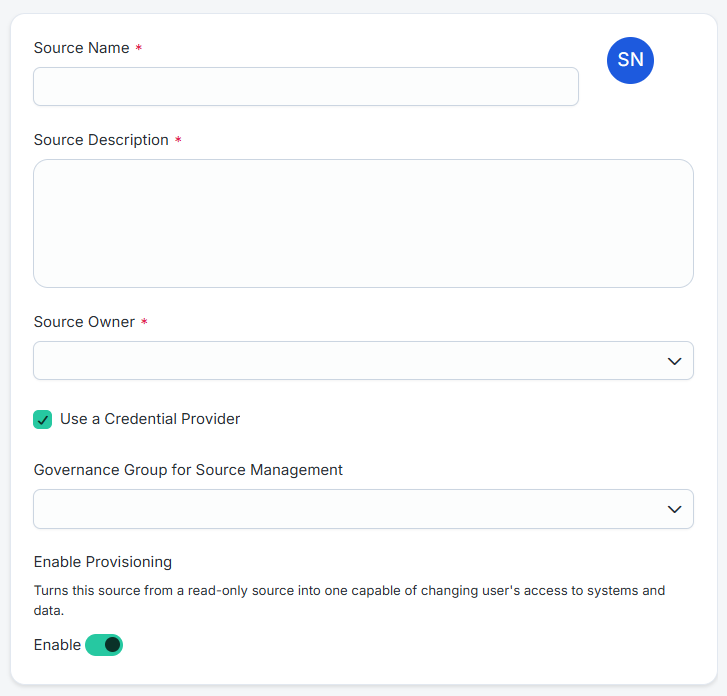
Note
Ensure that the name and description of each source is unique.
-
Enter a descriptive Source Name for the connection.
-
Enter the Source Description that provides details necessary to distinguish it from similar connection sources.
-
In Source Owner, begin typing the name of the source owner. Matches display after you type two or more letters. Set up the source owner as per requirement.
-
In Virtual Appliance Cluster, select the virtual appliance cluster that will be used as the application connector for the source. For more information about configuring and deploying virtual appliances, refer to the Virtual Appliance Reference Guide.
-
(Optional) Select the appropriate Governance Group for Source Management. For more information about governance groups, refer to Associating Governance Groups with a Source.
-
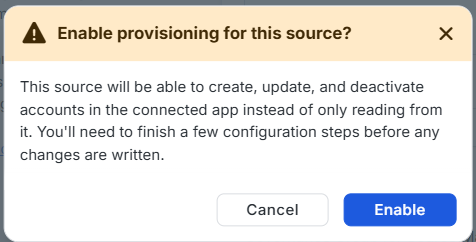
(Optional) Provisioning is disabled by default.
-
Enable Provisioning - Allow the source to create, update, and deactivate accounts.
-
Set the toggle to enabled.
-
In the Enable provisioning for this source? window, select Enable. SailPoint saves the setting and enables provisioning for the source. To close the window without enabling provisioning, select Cancel.
-
-
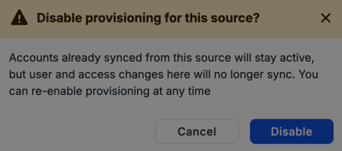
Disable Provisioning - Return the source to read-only so it can only read accounts from the source. The source can no longer create, update, or deactivate accounts.
-
Set the toggle to disabled.
-
In the Disable provisioning for this source? window, select Disable. SailPoint saves the setting and disables provisioning for the source. To close the window without disabling provisioning, select Cancel.
-
-
-
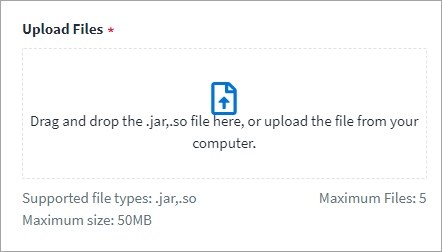
Upload the
sapjco3.jarandlibsapjco3.sofiles. The JCO libraries (JCO Release 3.1.x) must be downloaded from the SAP website by going to the customer service marketplace.Warning
Ensure that the file you upload is not vulnerable or malicious. -
Select Save.