Aggregation Settings
Provide the settings for your aggregation.
For more information about aggregation, refer to Loading Account Data.
 Screenshot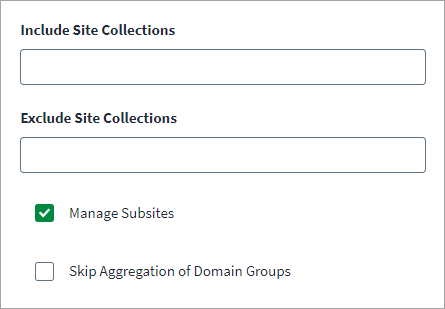
To configure your aggregation settings, complete the following:
-
(Optional) Enter the Include Site Collections that you want to manage. For example,
http://sp-server:4032/sites/site_collection1. This is an optional field and is not applicable if you configure Exclude Site Collections. You can only mention the URL of a site collection, sub-site URLs are not applicable. -
(Optional) Enter the Exclude Site Collections that you want to manage. This is an optional field and not applicable if you configure Include Site Collections. You can only mention the URL of a site collection, sub-site URLs are not applicable.
-
(Optional) Select the Manage Subsites checkbox to manage provisioning operations of groups that reside inside sub-site of a site collection.
-
(Optional) Select the Skip Aggregation of Domain Groups checkbox ff you do not want to aggregate the domain groups.
-
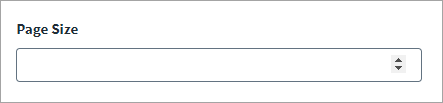
(Optional) Enter the Page Size to specify the number of objects shown on a single page for a Site Collection. The page size value has a range of 0 to 999.
-
Select Save.