Adding a New Credential Provider in SailPoint
Create a new credential provider integration in SailPoint to automatically rotate refreshed authentication credentials for configured sources.
To create a new credential provider:
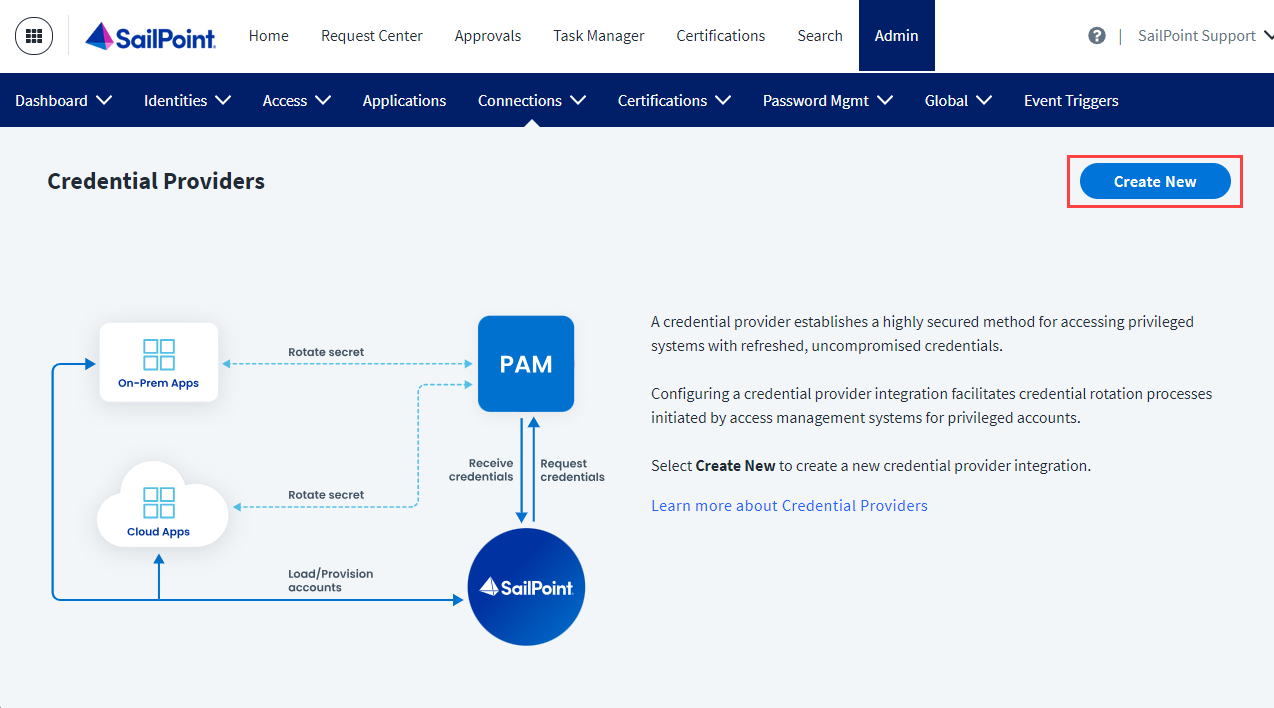
- Go to Admin > Connections > Credential Providers.
-
Select Create New.
Screenshot
-
Search for the credential provider type and select Configure.
Note
For a list of the available types of credential providers, as well as access to the documentation for each type, refer to the Identity Security Connectors landing page.
-
Enter the following in the provided fields:
- Enter a unique Credential Provider Name to help administrators differentiate it from others.
- Enter a Credential Provider Description.
- Select a Credential Provider Owner who is responsible for the credential provider's operations.
- Select a Virtual Appliance Cluster with connectivity to the credential provider.
-
Select Continue to create the new credential provider with your selections.
- (Optional) Enable credential caching. For more information, refer to Caching Credentials.
Documentation Feedback
Feedback is provided as an informational resource only and does not form part of SailPoint’s official product documentation. SailPoint does not warrant or make any guarantees about the feedback (including without limitation as to its accuracy, relevance, or reliability). All feedback is subject to the terms set forth at https://developer.sailpoint.com/discuss/tos.