Uninstall all the Remaining Services
This procedure removes all services from this server, including the File Access Manager website and Server Installer itself.
-
Open the Server Installer
-
Next till the Action Select page
-
Click Uninstall File Access Manager Features from the current server
-
Click Next to start the uninstall process.
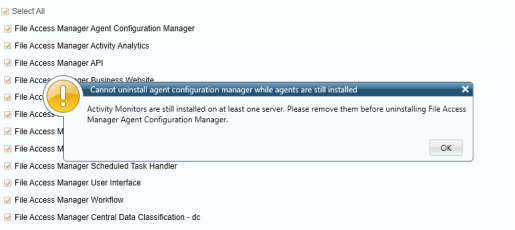
Important: The service File Access Manager Agent Configuration Manager must be the last service to be removed, and must be removed after removing the collectors. If collectors or other services are still installed, the server installer will display an error message to that effect.