Environment Variables
In some instances, a configured environment requires a proxy server for all File Access Manager server-wide outbound connections. In this case, the use of two environment variables is an option.
These specific variables need to be configured on the File Access Manager server(s) hosting the engine/collector/collector sync services that need to communicate with specific endpoints.
Updating or Changing Environment Variables
Both variables can be created and updated within a Window's Server System by navigating to Properties > Advanced > Environment Variables.
ALL_Proxy
The proxy server used on HTTP and/or HTTPS requests in case HTTP_PROXY and/or HTTPS_PROXY are not defined.
Example: 10.10.10.10:8080
NO_PROXY
A comma-separated list of host names that should be excluded from proxying.
Example: SOME.DOMAIN.COM, LocalFAMServer1, LocalFAMServer2
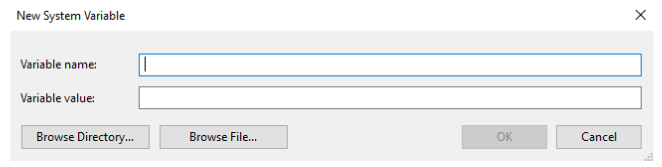
After creating these variables, the corresponding File Access Manager services must be restarted for the changes to take effect.
File Access Manager services need to be able to read from the environment variables. Therefore, it is recommended to create them as System Variables.