Policy Objects
Policy objects are searches, saved for use in rules.
For example, predefined policy objects can search for credit cards.
-
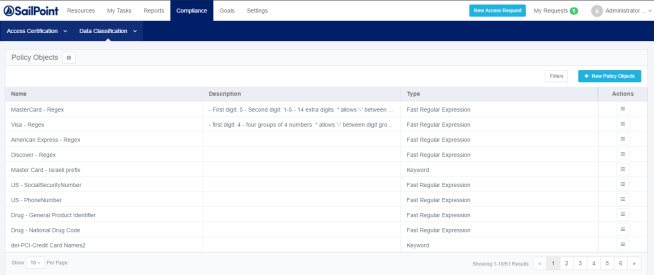
Navigate to Compliance > Data Classification > Policy Objects. to open the Data Classification – Policy Objects page.
-
Click New Policy Object to open the New Policy Object page.
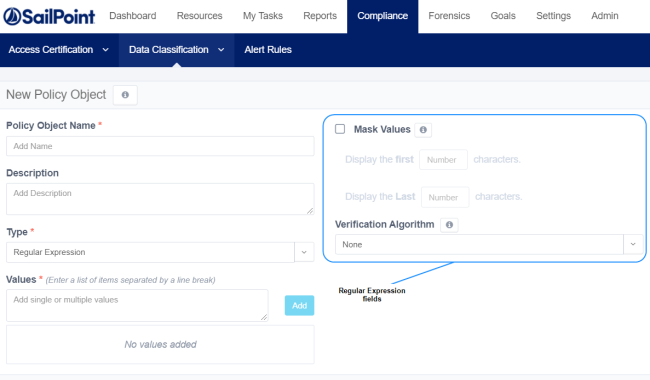
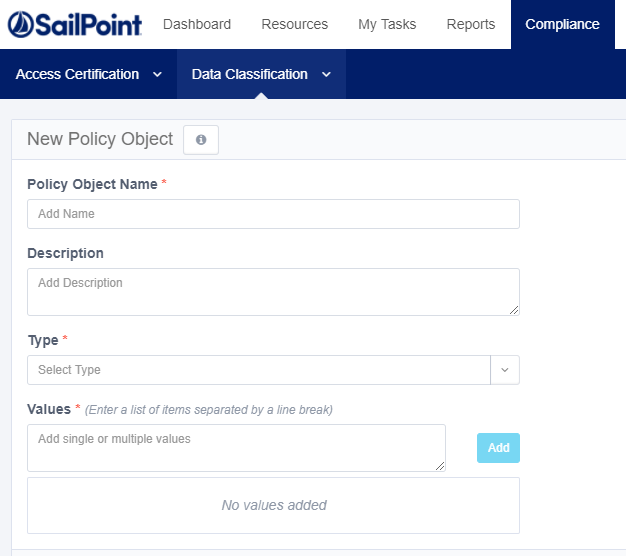
Data classification policy object fields include:
Policy Object Name
Name of the policy object
Description
Free text
Type
The type of search the policy object performs:
Keyword
A keyword may be one or more words. If multiple words are involved, the entire phrase will be searched.
Note that stop words such as "a" or "and" are stripped from the search keywords. If you want to include stop keywords in the phrase, you can use a regex phrase instead. (For a nerd-level description of ignoring stop words, see https://www.elastic.co/guide/en/elasticsearch/guide/current/stopwords.html)
Wildcard
Supports the following special characters:
* any number of characters
? only one character
Regular Expression
Using standard regex for defining policies
Values
Values to search for:
-
Single Value
-
List - A list of matching values
Mask Values (Regular Expression policy objects only)
Masking portions of matched values.
-
Display the first characters—number of characters from the left displayed in the matched value
-
Display the last characters—number of characters from the right displayed in the matched value
Verification Algorithm
A code based algorithm to enable more complex filtering. See Data Classification Verification Algorithms for further details.
Policy objects are a good way to reuse searches containing complex definitions.
Click Save to end the New Policy Object process.