Viewing Identity Forensics Results
The Identity Forensics screen looks as follows:
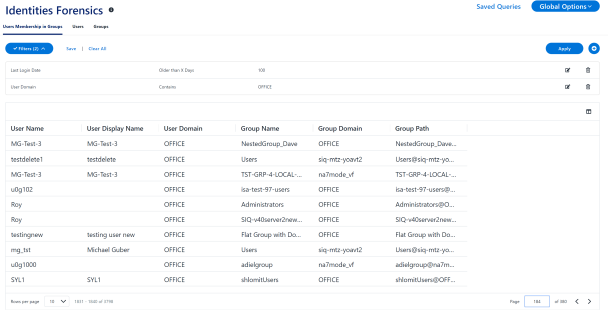
Tabs
Select the tab to display different data about users, groups and their relationship.
Users’ Membership in Groups
View of users and their group memberships;.
Users
This tab displays users and their attributes, defined in the identity store.
Groups
This tab displays groups and their attributes, defined in the identity store.
Identity queries involve identity stores connected to File Access Manager, regardless of the permissions attached to these identities.
Note: Each tab has a separate filter and stored query list.