Create Account
This topic provides an example of an XML response for a create account operation.
 General Information
-
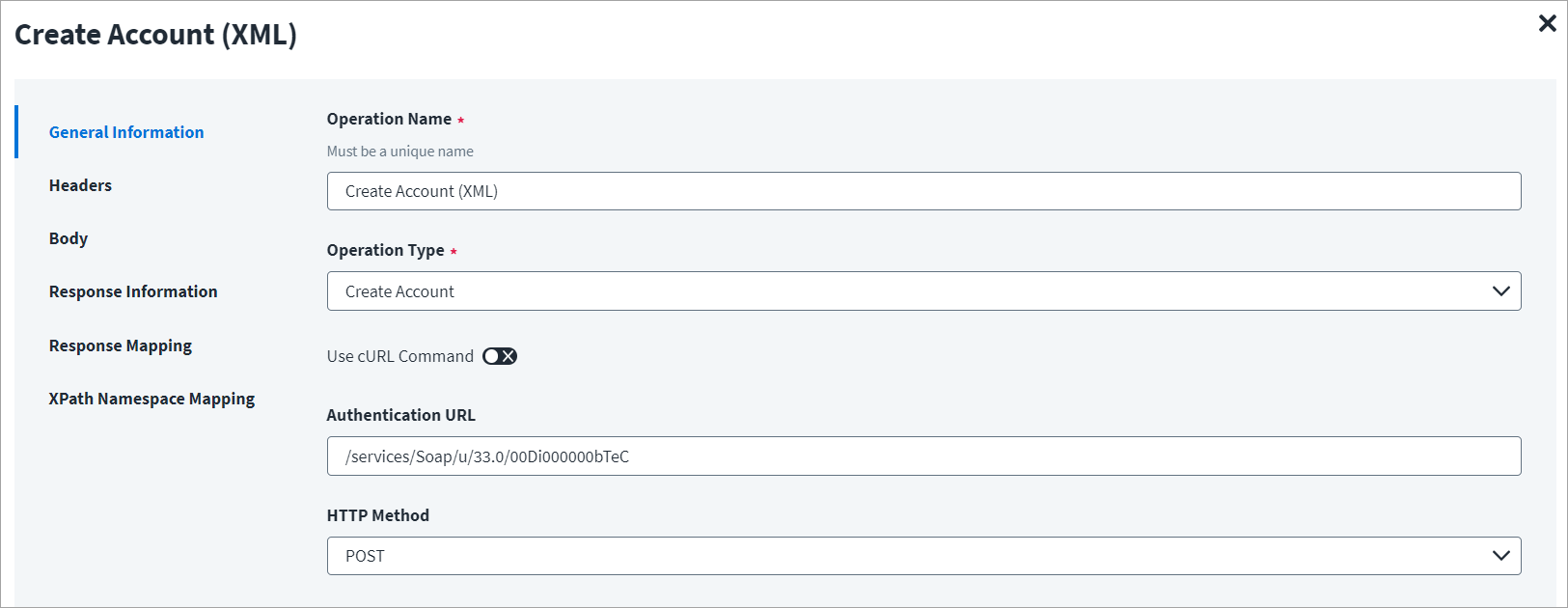
In the Operation Name field, enter Create Account (XML) as the operation name.
-
From the Operation Type drop-down list, select Create Account.
-
In the Authentication URL field, enter the URL specific to the account creation.
-
In the HTTP Method drop-down list, select POST.
Header and Body
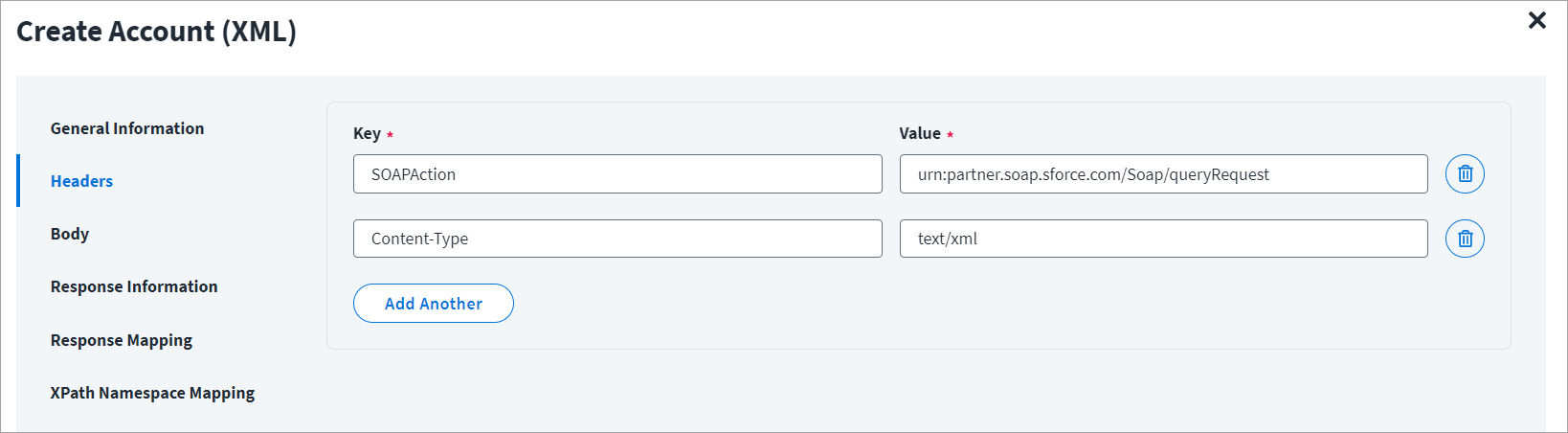
The Header has the data keys and their corresponding values. These key value pairs will be sent as part of the Header in the HTTP Request.
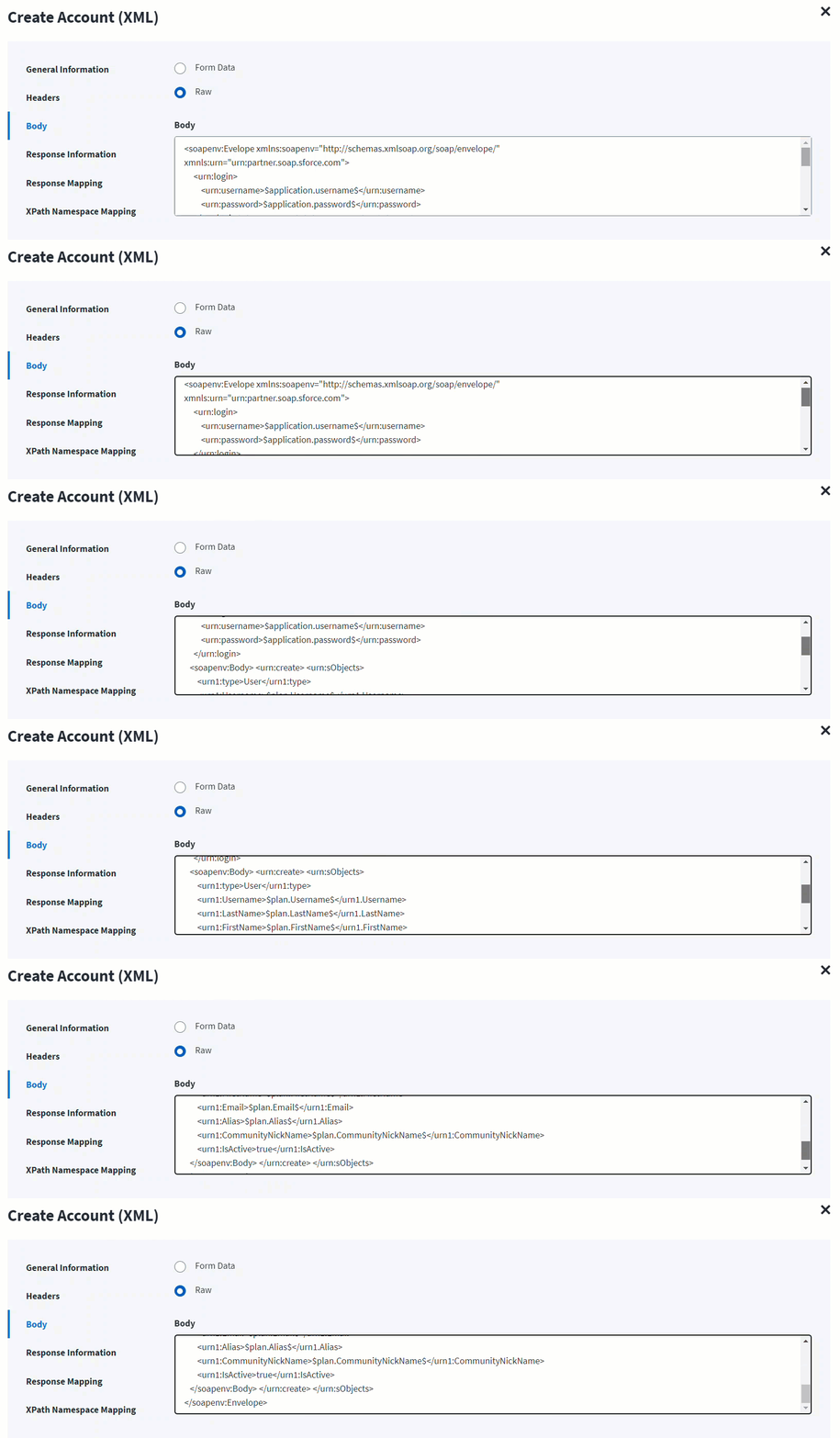
The HTTP body is used for posting the data with a request. The body has two data entry types, Form Data and Raw. The XML format does not support Form Data.
In the Raw field, enter the XML payload for the account creation.
In the following screenshot, the $plan keyword represents the Provisioning Plan that is passed to the provision method. For example, $plan.LastName checks for the last name in the attribute request and updates in the body after it is found.
Response Information
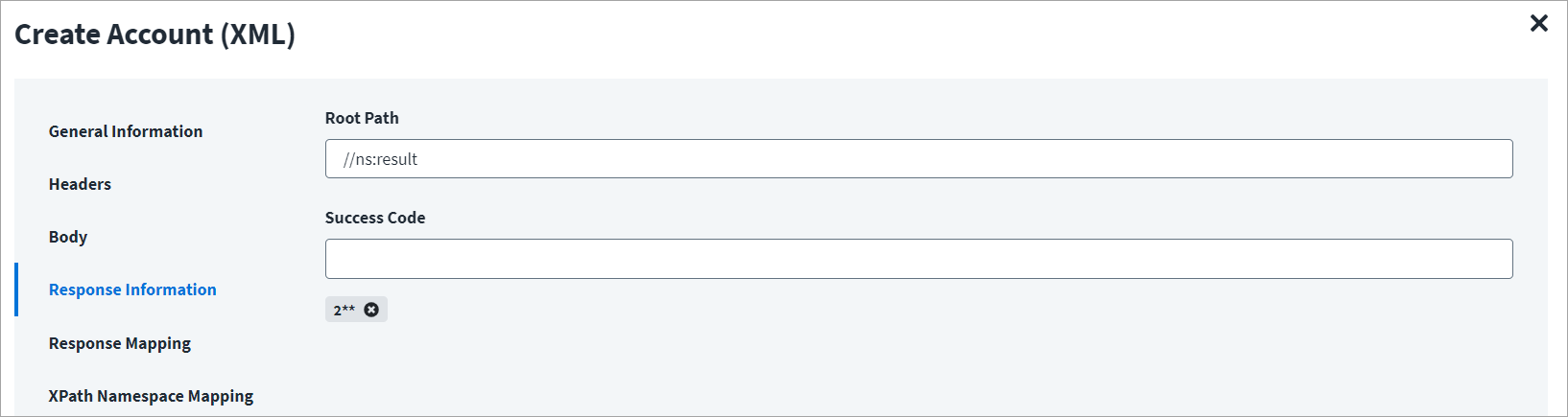
The Root Path is the common path present in the XML response. The Success Code is the successful HTTP response code expected by the respective Web Service operation. By default, the success code is 2**.
Response Mapping
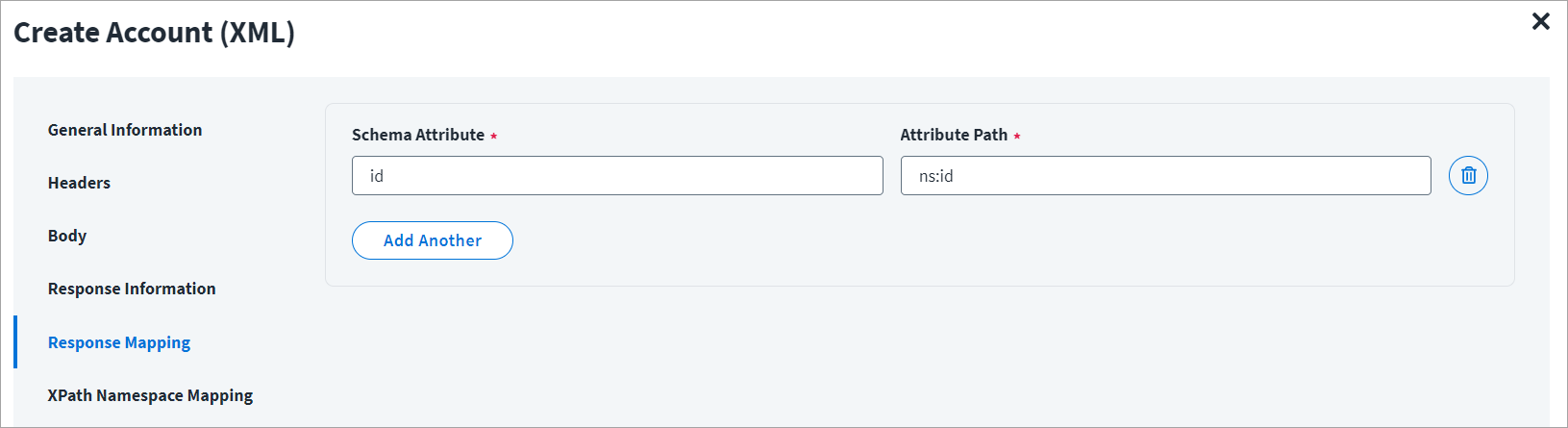
Below is an example of a schema that is mapped to XML response, for more information refer to Configuration for Response.
XPAth Namespace Mapping
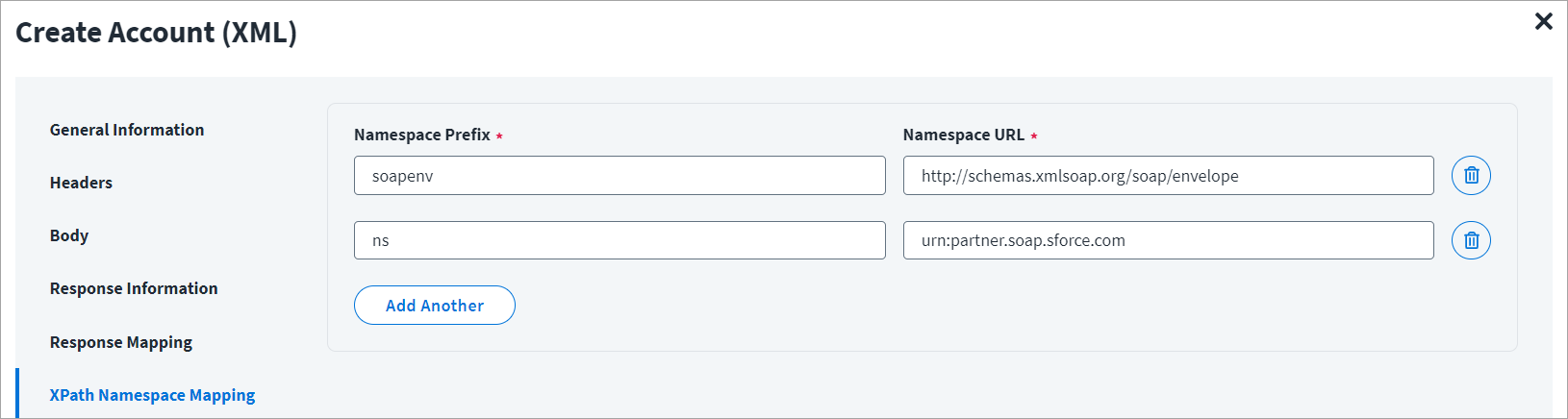
The namespace xmlns is the default namespace for the example mentioned in this section, and it is represented as ns in the following screenshot.