Configuring Multi Account
The Multi Account Support Enabled setting on the Setup page directly controls the account selection behavior within the "Request and Review Access" process.
 When Multi Account Support is Enabled
-
Setting this property to Yes activates the account selection feature for widget-based requests, prompting the requester to choose a specific target account when a user has multiple accounts on a source.
-
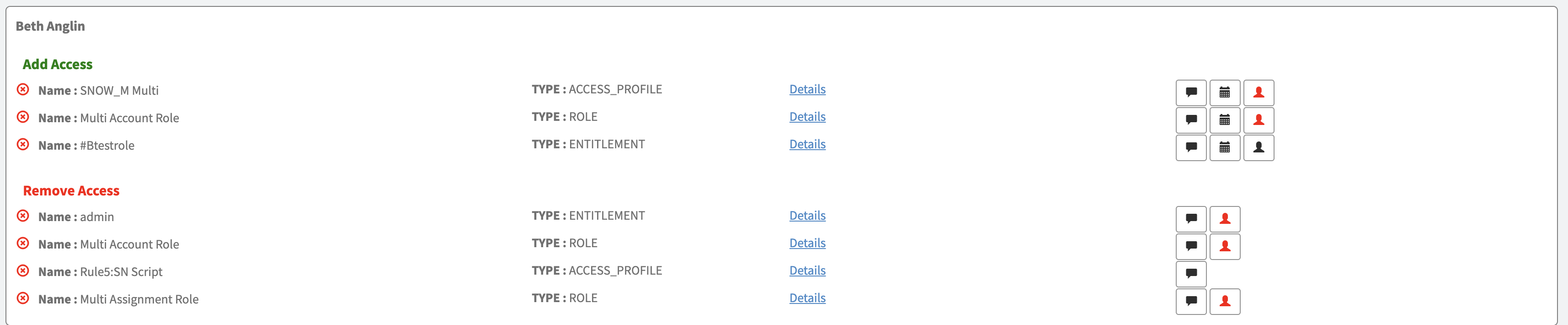
During the "Review and Submit" step, the system requires the requester to select a target account for any line item with multiple account or revoke assignment options. A selection is mandatory before the request can be submitted.
-
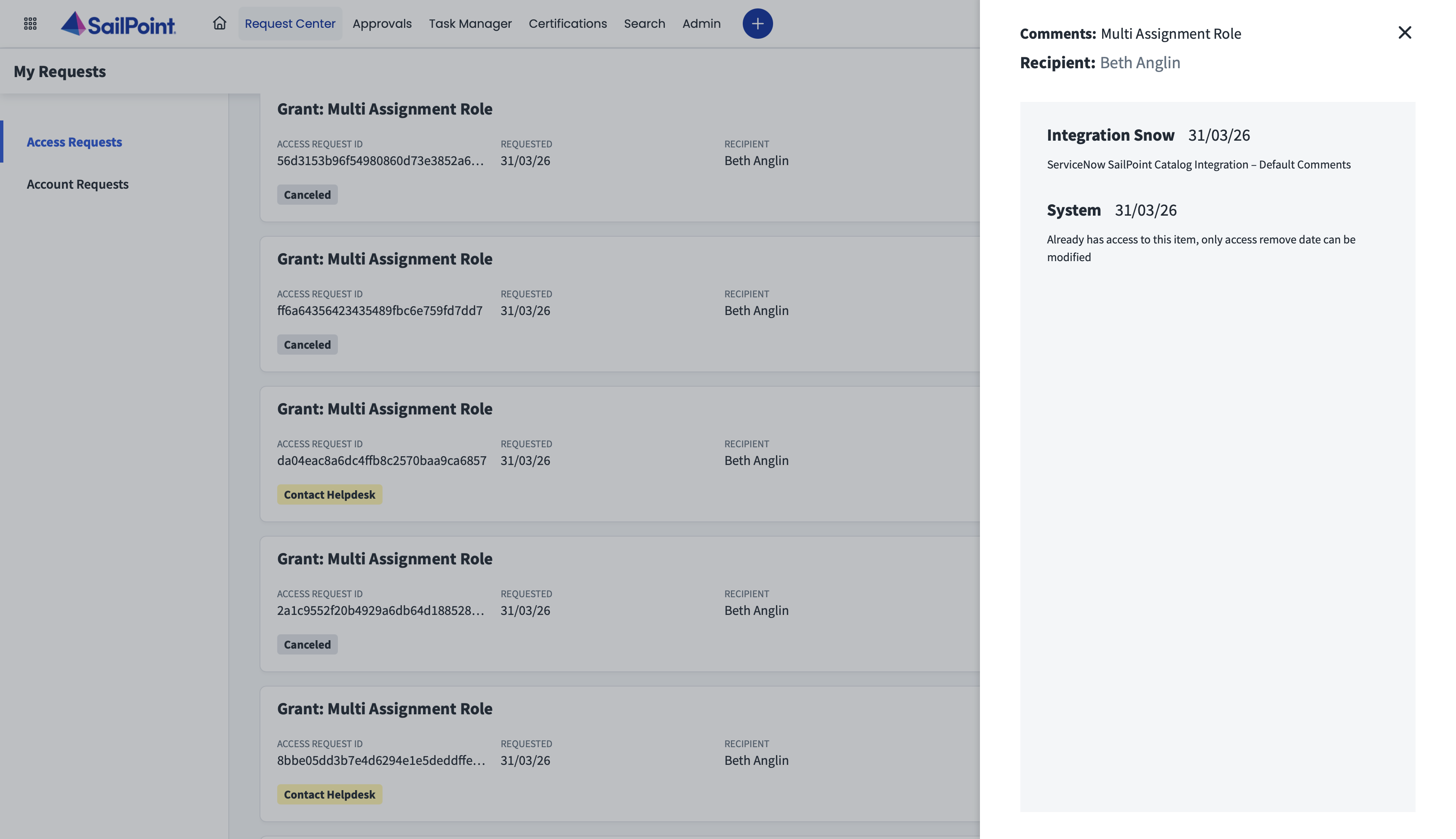
For already assigned access, request submission will be successful and the following automated actions occur:
-
The Access Request in ISC is immediately canceled.
-
ISC logs the reason with the message: “Already has access to this item, only access remove date can be modified.”
Note:
The Identity Security Catalog Application currently does not support submitting a request to change the expiration date of access that is already assigned.
-
The original request (REQ) in ServiceNow is closed with an "Incomplete" status.
-
 When Multi Account Support is Disabled
Setting the Multi Account Support Enabled property to No deactivates the Multi Account functionality and reverts to the standard request behavior:
-
The system does not trigger the account selection feature. All requests follow the standard, single-account submission flow.
-
During the "Review and Submit" step, the system no longer prompts the requester to select an account or revoke assignment, even if multiple options are technically available. The request is being submitted for the main identity that you selected from the catalog. This is the central identity in ISC to which all of the user's other accounts are related.

-
If a user attempts to request access they already have, the submission will fail. The system actively blocks the request and displays a validation error message: “The selected access is already assigned.”
