Obtain the values for Filter Parameters
This section describes the procedure for obtaining the values for Business Process, Sub Process, and Role Type parameters.
 Obtaining the values for Business Process and Sub Process
-
Execute SPRO transaction code and select SAP Reference IMG.
-
Go to Governance > Risk and Compliance > Access Control > Maintain Business Process and Subprocesses.
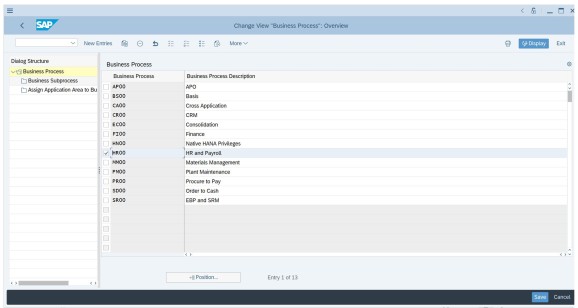
The following figure displays the list of business processes:

As displayed in the above figure, code must be added instead of the description. For example
AP00. -
To get the sub processes associated with Business Process, select the code from the list of the business processes as displayed in the following figure:
-
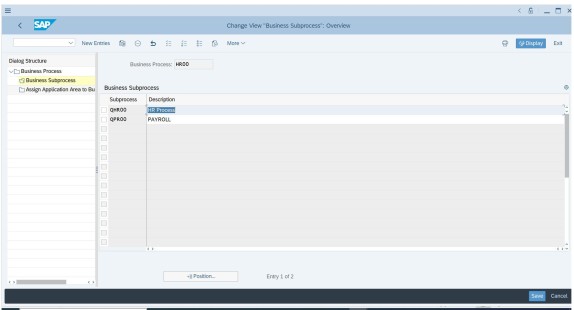
Select Business Subprocess from the pane.
The following figure displays the business subprocess:
Obtaining the value for Role Type
By default, the connector aggregates all role types. To filter for a specific role type, the roleTypeFilter entry key must be used with the following values:
|
Role Type |
Description |
|---|---|
|
BUS |
Business Role |
|
COM |
Composite Role |
|
CUA |
CUA Composite Role |
|
DRD |
Derived Role |
|
GRP |
Group |
|
HAP |
HAN AnalyticPrivileges |
|
PRF |
Profile |
|
SIN |
Single Role |