Base Configuration
Provide the base configuration parameters. Information you entered in the Create New Source dialog is automatically entered into the fields in the Base Configuration page. You can edit this information if necessary.
 Screenshot: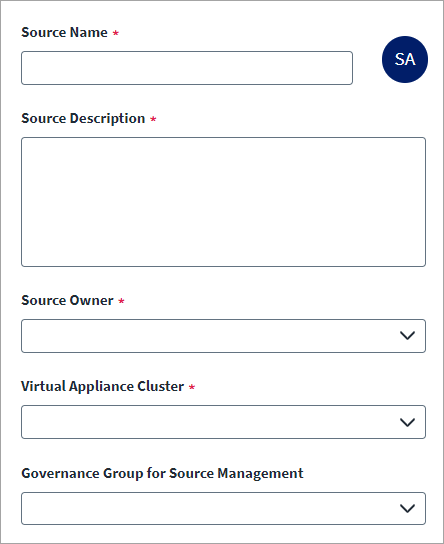
Note
Ensure that the name and description of each source is unique.
-
Enter a Source Name for the connection.
-
Enter a Source Description that provides details necessary to distinguish it from similar connection sources.
-
In Source Owner, begin typing the name of the source owner. Matches are displayed after you type two or more letters. Set up the source owner as per requirement.
-
Select the Virtual Appliance Cluster that will be used as the application connector for the source.
-
(Optional) Select the appropriate Governance Group for Source Management from the dropdown list.
-
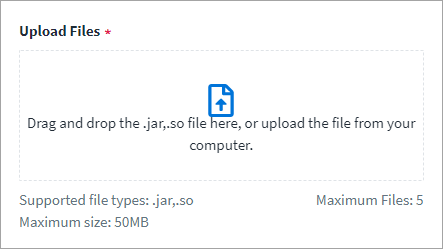
Select Upload Files and drag and drop the files here or upload them from your computer. Files that are unsupported or exceed the size limit are not saved to the configuration.
Warning
Ensure that the file you upload is not vulnerable or malicious.Note
You must download the library from a trusted source and validate the authenticity of the download location via inspection of valid SSL/TLS certificates. You must also validate the authenticity of the library by inspecting digital signatures or validating checksums when that information is made available. -
Select Save.