Aggregation Settings
Configure connector settings related to delta aggregation and partitioning in aggregation processes.
Delta Aggregation
Enable delta aggregation to configure the connector to only aggregate accounts which have had changes since the last aggregation process. This feature can help streamline aggregation processes.
 Screenshot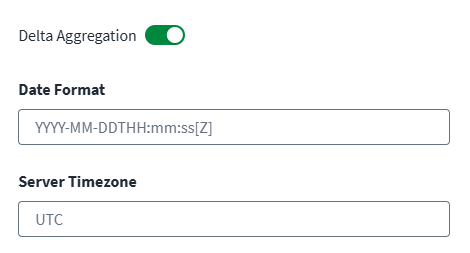
-
Enable Delta Aggregation to aggregate accounts that have changed since the last execution.
Note
Delta aggregation based onaccount object typeis only applicable for managed systems that support the delta aggregation operation. -
Enter the Date Format to use for the date and time data sent for delta aggregation.
-
In the Server Timezone field, specify the timezone for the source's server.
-
Select Save.
Partitioning Settings
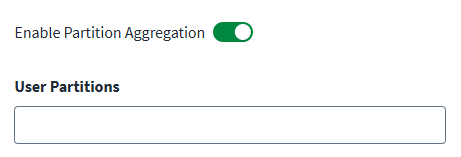
Configure partitioning aggregation to enable parallel data processing across multiple threads, enhancing the performance of aggregation tasks. Refer to Partitioning Aggregation for information on configuration.
-
Select Enable Partition Aggregation.
-
In the User Partitions field, define the User Partitioning Scheme. Press the Enter key to add each partitioning scheme to a growing list.
-
Select Save.