Custom Authentication
-
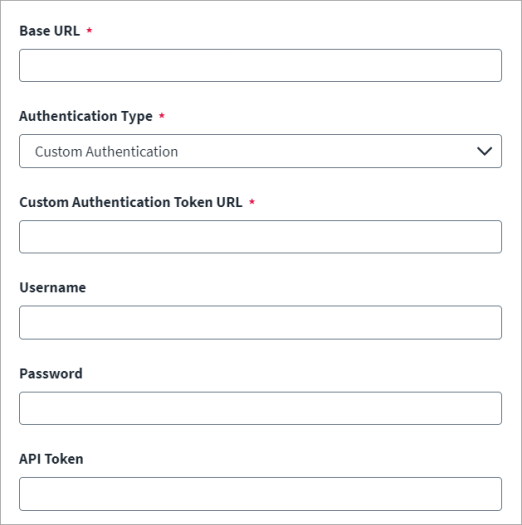
Enter the Base URL to connect to the managed system. For example,
https://api.testurl.com
-
Select Custom Authentication as the Authentication Type.
-
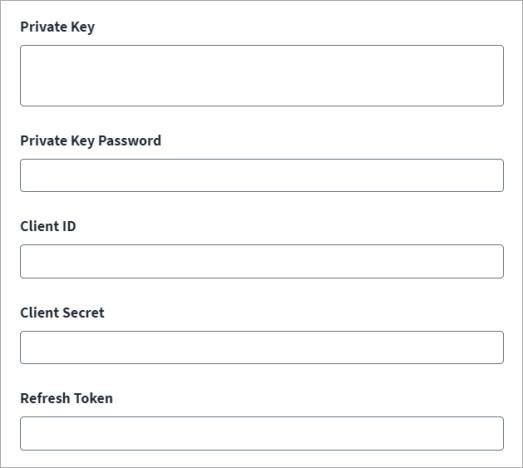
(Optional) fields display that you can configure as your authentication configuration requires.
-
Username
-
Password
-
API Token
-
Resource Owner Username
-
Resource Owner Password
-
Private Key
-
Private Key Password
-
Client ID
-
Client Secret
-
Refresh Token
-
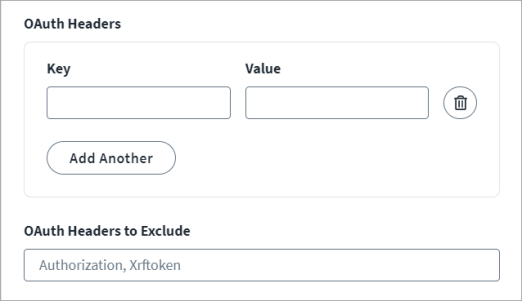
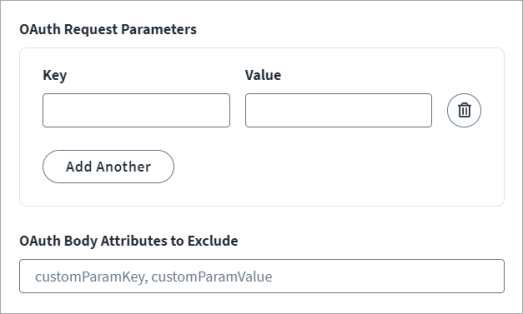
- Configure OAuth Headers and OAuth Request Parameters by entering the Key and Value parameters for the token generation. Use Add Another and the Recycle bin to add and remove fields as needed.
 Example 1
oauth_headers: {
'Content-Type': 'application/x-www-form-urlencoded'
}
Example 2
oauth_request_parameters: {
 client_id: '$application.clientId$',
  client_secret: '$application.clientSecret$',
  grant_type: 'client_credentials',
 scope: 'scim'
}<entry key="oauth_request_parameters">
<value>
<Map>
<entry key="client_secret" value="$application.clientSecret$"/>
</Map>
</value>
</entry>
-
Enter the OAuth Headers to Exclude. By default, an Authorization BASIC header with Base64-encoded client ID and client secret are a part of the access token generation request. Some managed target systems do not support this header. If there is no Authorization BASIC header required for such managed target systems, it can be excluded from the request.
-
Enter the OAuth Body Attributes to Exclude. Remove any of the standard request parameters that are not supported by the managed systems access token generation requests to exclude them from the access token request.