OAuth 2.0 Grant Type: JWT (Deprecated)
The following information is required if the JSON Web Token (JWT) Grant type is selected.
 Screenshot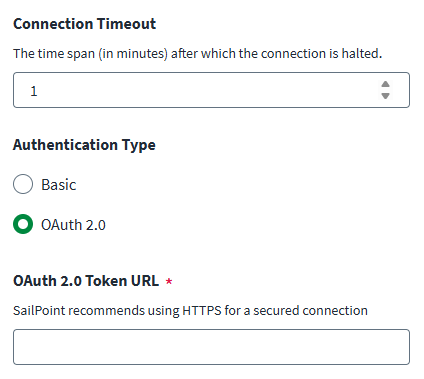
-
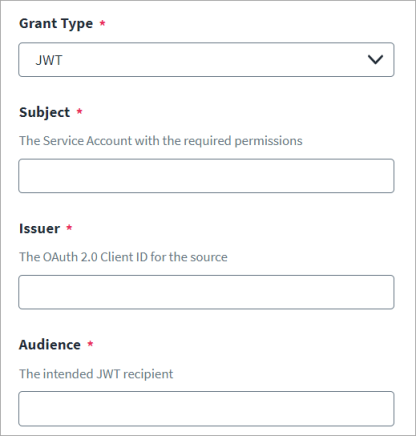
Enter the Salesforce username in Subject.
-
Enter the OAuth Client ID for the connected application for which you registered the certificate in Issuer.
-
Enter the recipient for which the JWT is intended in Audience .
-
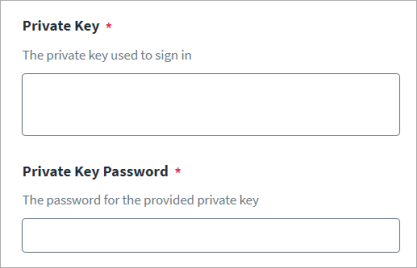
Enter the Private Key to be used to assert the JWT.
For information on generating the JWT assertion, refer to Generating a JWT Assertion.
Note
The private key should be in standard PKCS #1 format. Currently, SailPoint doesn't support private keys in PKCS #8 format. -
Enter the Private Key Password for the Private Key.
Note
This is only needed if the Private Key is encrypted with a passphrase. -
Select Save.
Note
Additional JWT Header and JWT Payload can be added with the additionalJwtHeader and additionalJwtPayload attributes, respectively, using the REST API if required per the managed system.
For information on the REST APIs, refer to Authentication and Update Source (Partial) in the SailPoint Developer Community.