Connection Settings
Provide the information required to connect to the Microsoft Entra instance based on the selected Grant Type for OAuth 2.0 authentication:
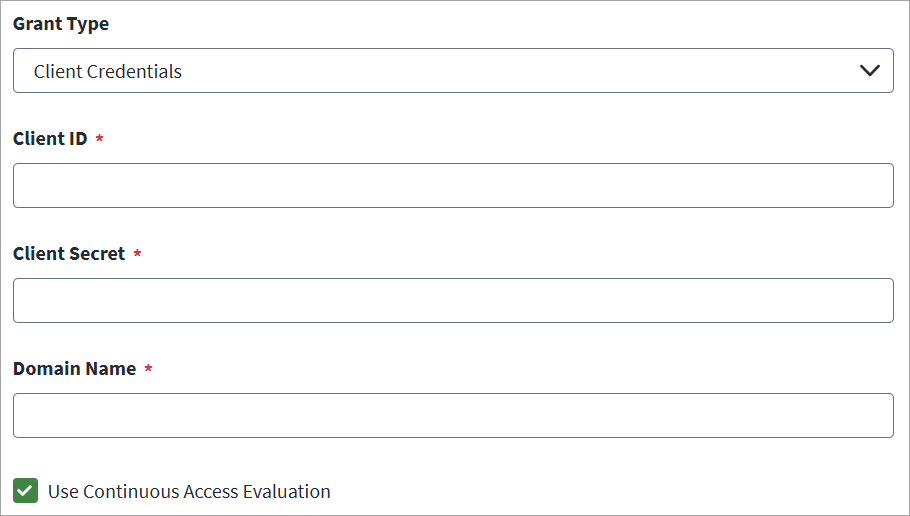
 Client Credentials
-
In Client ID and Client Secret, enter the Microsoft Entra API details for OAuth2 authentication.
-
In Domain Name, enter the name of the Microsoft Entra domain to be managed. For example,
contoso.onmicrosoft.com.Important
If you are using SailPoint CIEM, you must add the Entra domain under Client Credentials in the Domain Name field. It must end in.onmicrosoft.comor.onmicrosoft.us. Custom domain names are not supported. -
(Optional) Select the Use Continuous Access Evaluation checkbox to enable the connector to leverage the Microsoft Entra real-time enforcement of Conditional Access location and risk policies along with instant enforcement of token revocation events for an enterprise application (service principal).
-
Select Save.
Refresh Token
-
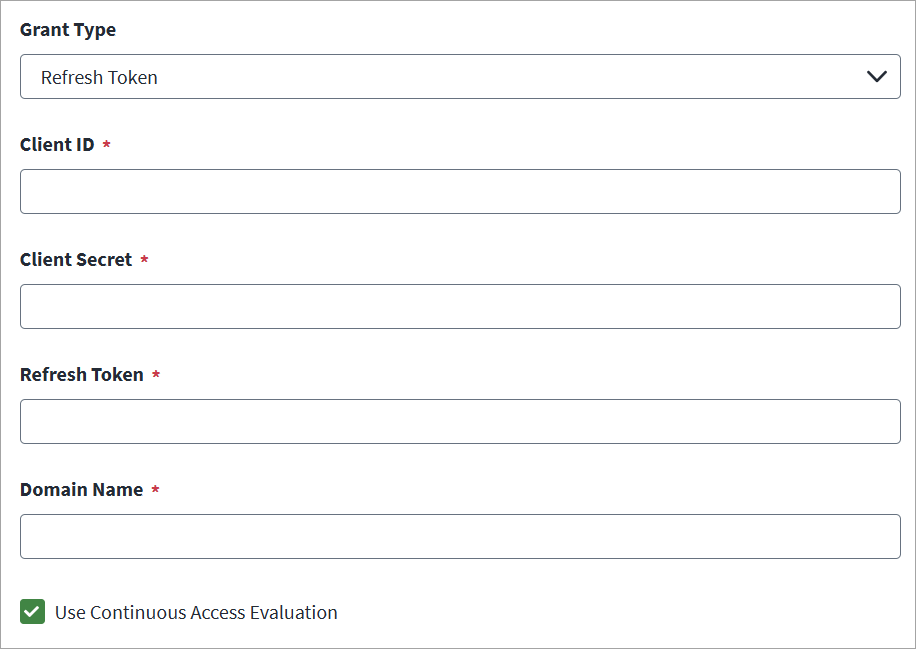
In Client ID and Client Secret, enter the Microsoft Entra API details for OAuth2 authentication.
-
Enter the valid Refresh Token.
-
Enter the Domain Name of the Microsoft Entra domain to be managed. For example, contoso.onmicrosoft.com.
-
(Optional) Select the Use Continuous Access Evaluation checkbox to enable the connector to leverage the Microsoft Entra real-time enforcement of Conditional Access location and risk policies along with instant enforcement of token revocation events for an enterprise application (service principal).
-
Select Save.
JWT Certificate Credentials
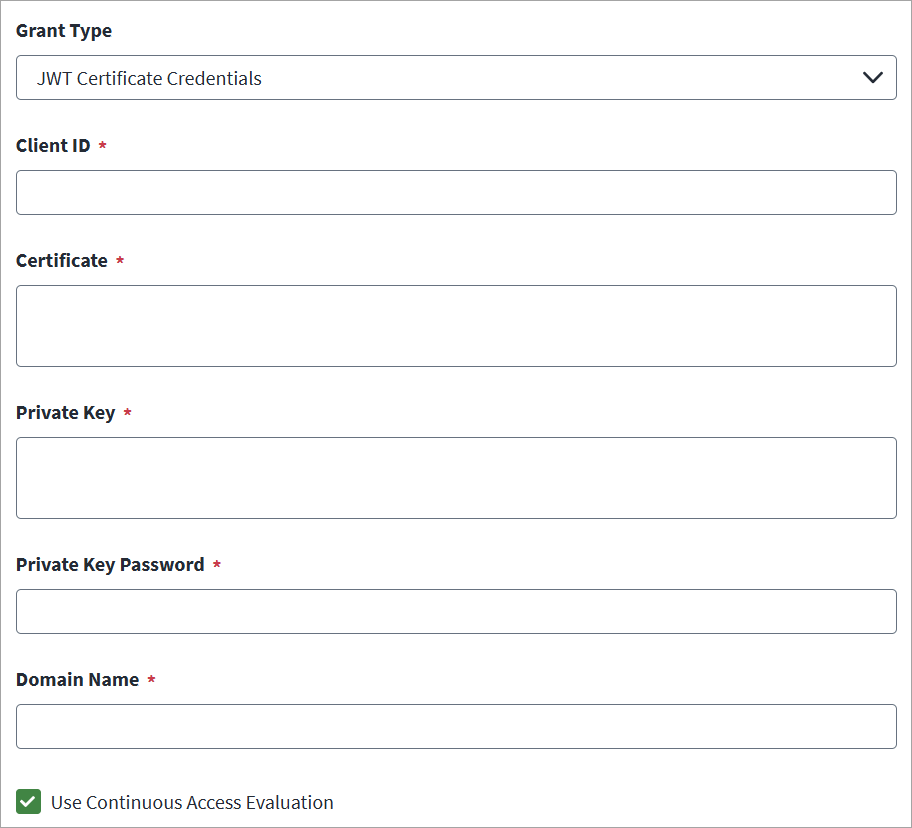
To generate the JWT certificate credentials, refer to Creating OAuth 2.0 JWT Certificate Credentials.
-
In the Client ID field, enter the Microsoft Entra API Client ID for OAuth2 authentication.
-
In the Certificate field, provide the unique alpha-numeric value of certificate used to sign the JWT assertion.
-
Enter the Private Key text used for encrypting the JWT assertion.
-
Enter the Private Key Password that is used for decrypting the private key.
-
In the Domain Name field, enter the name of the Microsoft Entra domain to be managed. For example, contoso.onmicrosoft.com.
-
(Optional) Select the Use Continuous Access Evaluation checkbox to enable the connector to leverage the Microsoft Entra real-time enforcement of Conditional Access location and risk policies along with instant enforcement of token revocation events for an enterprise application (service principal).
-
Select Save.