Connection Settings
Provide the information required for SailPoint to connect and interact with RSA Authentication Manager.
Note
On installation of RSA Authentication Manager, the system creates a command client user name and password for secure connections to the command server. This user name and password are randomly generated on creation, and are unique to each deployment.
 Screenshot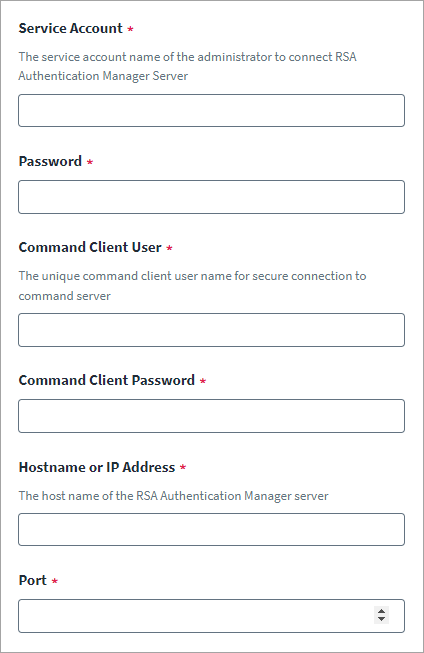
-
In the Service Account field, enter the name of the service account used by the administrator to connect to RSA Authentication Manager server.
-
Enter the Password for the service account.
-
Enter the unique Command Client User and Command Client Password. This information is created when you install RSA Authentication Manager. To obtain this information, refer to Obtaining the Command Client User and Password.
- Enter the Hostname or IP Address. You can validate the host name of the RSA authentication manager provided in source configuration during TLS communication using the REST API. To validate the hostname, set the
enableHostNameVerificationattribute to true. - Enter the Port number.
- Select Save.
Note
For more information on SailPoint's REST APIs, refer to Best Practices: REST API Authentication and REST API - Update Source (Partial) in the SailPoint Developer Community.