Connection Settings
Provide the information required to connect to the Siebel server.
 Screenshot: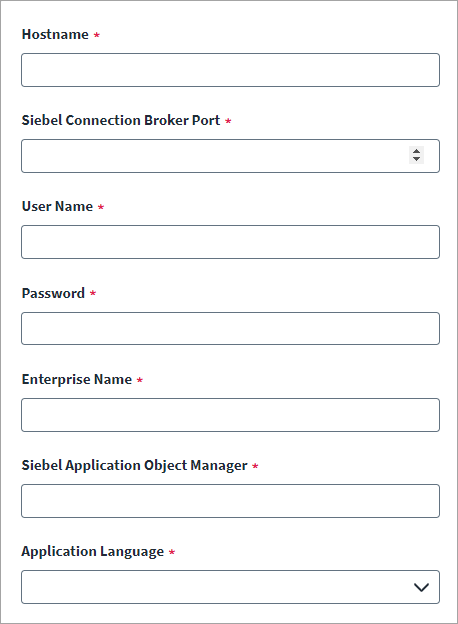
-
Select Connection Settings from the menu.
-
Enter the Hostname where the Siebel server is installed.
-
Enter the listening port number for the Siebel Connection Broker Port.
-
Enter the User Name and Password for the target system user account that you want to use for operations.
-
Enter the Siebel Enterprise Name.
For example, SBA_82.
-
Enter the name of the Siebel Application Object Manager.
For example, SCCObjMgr.
-
Select an Application Language from the list. The Siebel Object Manager displays in the selected language.
The connector supports the following languages:
-
English (default)
-
Brazilian Portuguese
-
French
-
German
-
Italian
-
Japanese
-
Korean
-
Simplified Chinese
-
Spanish
-
Traditional Chinese
-
-
Select Save.