Additional Settings
 Screenshot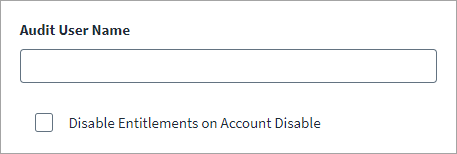
-
Select Additional Settings from the menu.
-
Enter the Audit User Name. This is the Oracle E-Business User for audit purposes. This user must be created in the Oracle E-Business Suite Portal in the
fnd_usertable and not thedba_userstable. Audit records will be created/ updated with this user for all provisioning operations for Oracle E-Business through Identity Security Cloud. Audit records will be created/ updated with this user for all provisioning operations for Oracle E-Business through Identity Security Cloud. If not provided, an error will be displayed on Oracle E-Business Portal when the user tries to view Record History for any user and their assigned entitlements. -
Select Disable Entitlements on Account Disable to disable a user's roles and responsibilities when that account is disabled. When creating a new (employee/contractor) record for an applicant at your organization, the Oracle E-Business source checks if there is an active or existing account for that user based on the Employee_ID attribute. If there are existing accounts in the FND_USER table, then they are linked to the same person in the Oracle HRMS system. The Oracle E-Business source can disable such existing active FND accounts linked to the same person. The responsibilities and roles of the disabled account can also be ended. The date that is used to end the responsibilities and role assignments is the system date.
-
Select Save.