Connection Settings
Provide information necessary for SailPoint to connect to the RACF LDAP source.
 Screenshot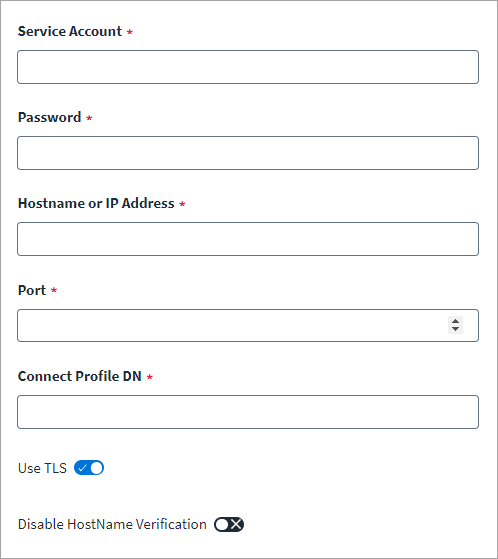
-
In the Service Account field, enter a DN that points to a user in the LDAP tree with privileges to manage the RACF LDAP server. For example:
cn=Admin,dc=example,dc=com
-
In the Password field, enter the password for the Service Account.
-
Enter the Hostname or the IP Address of the server where LDAP is installed.
-
Provide the Port number that the server communicates through.
-
Enter the Connect Profile DN used during group membership provisioning.
-
If the connection is over TLS, enable the Use TLS option.
For more information, see TLS Configuration on Virtual Appliances.
Note
The certificate used must have the FQDN of server machine as the subject under CN. -
To Disable Hostname Verification, select the toggle. Hostname verification during LDAP Communication over TLS is enabled by default.
-
Select Save.