Accessing Desktop Password Reset on macOS
Desktop Password Reset (DPR) is invoked from the macOS login screen before you are logged in to the device. To access DPR, follow these steps:
-
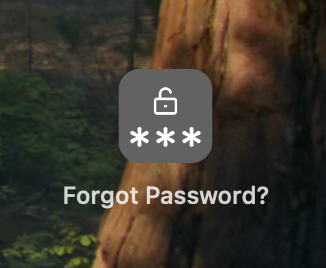
On the macOS login screen, select the Forgot Password? link.
-
Depending on the parameters configured in the Configuration Utility, the Forgot Password? option launches the DPR browser application.
For security reasons, the DPR browser application is restricted to limit access only to domains allowed by the Desktop Password Administrator. The browser also cannot be used to access the system files.
After the user has authenticated with their identity provider account and changed their password, they can log in immediately, even if not connected to the company's corporate network.
DPR Compatibility with macOS Login Experience
DPR is designed to work with the macOS login experience. The availability of the password reset option depends on whether FileVault disk encryption for macOS is enabled or disabled.
When FileVault is OFF:
-
You can reset your password directly from the login screen that appears after the Mac starts up (pre-boot login).
-
You can also reset your password from the login screen shown after a user logs off.
When FileVault is ON:
At start up, macOS shows the FileVault unlock screen before the operating system fully loads. This screen is controlled by Apple's security layer and does not allow third-party integrations. Due to this limitation, password reset option is not available at the startup login screen when FileVault is enabled.
However, you can still reset your password from the login screen that appears after a user logs off, once macOS has fully started.
Lock Screen:
DPR is not available from the lock screen (when a user locks the Mac without logging off)
The table below provides a quick overview of DPR's compatibility with the macOS login experience:
|
Setup |
Startup Login Screen |
Lock Screen |
Post-Logoff Login |
|---|---|---|---|
|
With FileVault OFF |
Supported |
Not Supported |
Supported |
|
With FileVault ON |
Not Supported |
Not Supported |
Supported |
This behavior is by design and aligns with Apple's security framework.