Troubleshooting for Windows
If you encounter any of the following issues or errors, SailPoint recommends that you follow the guidance provided below to resolve the error before contacting SailPoint Support.
 Users need to log in twice when they use Remote Desktop to access a Desktop Password Reset-enabled system.
Resolution – Desktop Password Reset uses a Microsoft framework to implement a custom credential provider. Users having to log in twice when using Remote Desktop is by design and is expected per the Microsoft framework which supports DPR. For more information, refer to RDC and Custom Credential Providers in the Microsoft documentation.
Error following an update of the CEF version
Failed to verify Cef Browser objects for..
After downloading a CEF update, DPR implements a check to determine whether the downloaded CEF version is compatible with the current DPR. This error indicates the compatibility check has failed.
Resolution – Contact SailPoint Support.
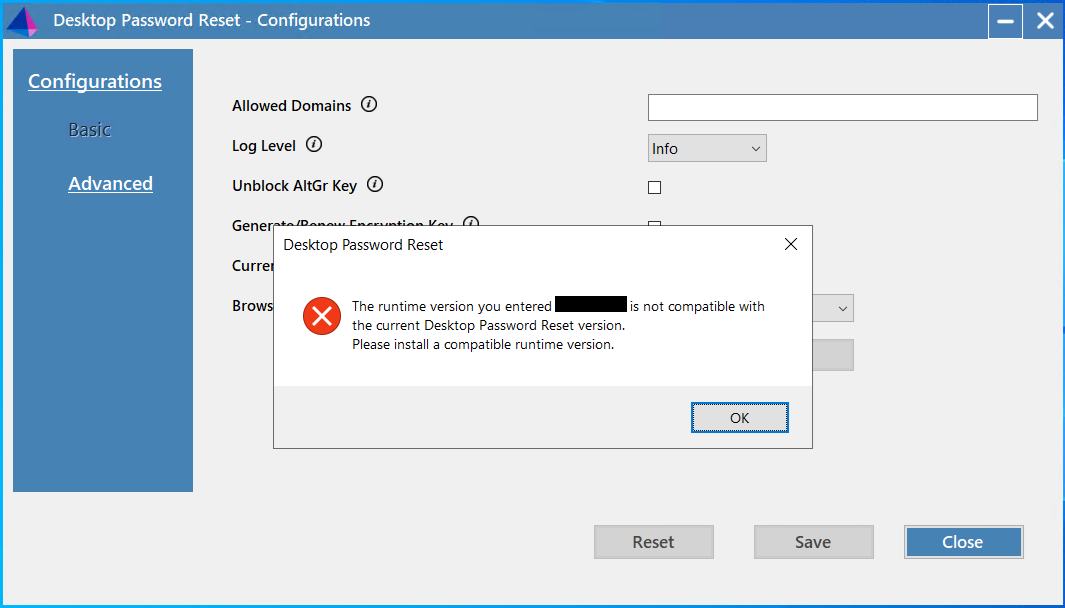 When a blank page loads in DPR, the following error appears in the logs
Error: JavaScript execution failed: document.getElementById("dpr-pw-nonce").value Error: Uncaught TypeError: Cannot read properties of null (reading 'value')
Resolution – Verify that the required values in proxy’s, firewalls, etc. (i.e. “*.sailpoint.com”, etc.) which would be allowed in the network.
Error: ".NET Desktop Runtime" Installation Pop-up
During an application installation, a pop-up displays the following error message:
You must install .NET Desktop Runtime to run this application.
This indicates that the required .NET Desktop Runtime (versions 8.0.x, 9.0.x, or 10.0.x) is not installed on the machine.
Resolution: To prevent this popup during a silent installation, use the setup.bat script with the /quiet argument. This ensures the installation proceeds silently, even if the .NET Desktop Runtime is missing.
pathOfDesktopPasswordReset\setup.bat -afterreboot /quiet
The Forgot Password? link does not appear on the Windows login screen when Duo Authentication for Windows Logon and Desktop Password Reset are installed together.
This occurs when Duo Authentication for Windows Logon and Desktop Password Reset are both installed. Both applications register Windows credential providers and must be configured to work together.
Resolution: Configure the Desktop Password Reset and Duo registry values so the credential providers can coexist, and then restart the computer.
-
In the Desktop Password Reset registry, set the WrapCPGuid string value to the GUID of the Duo credential provider:
Path:
HKEY_LOCAL_MACHINE\SOFTWARE\SailPoint Technologies\Desktop Password Reset\ConfigValue for WrapCPGuid:
<GUID of Duo CP> (String)For more information, refer to Enabling Wrapping for Third-Party Credential Providers.
-
In the Duo registry, add the following GUID to the ProvidersWhitelist multi-string value:
Path:
HKEY_LOCAL_MACHINE\SOFTWARE\Duo Security\DuoCredProvValue for ProvidersWhitelist:
{0094A34B-0BF0-4789-8B2D-8339E469D756} (REG_MULTI_SZ) -
Restart the computer.
Note
Credential providers you add to ProvidersWhitelist are accessible without Duo two-factor authentication. Users who log in with a listed credential provider skip Duo authentication.
Registered credential provider GUIDs are listed under:
HKEY_LOCAL_MACHINE\SOFTWARE\Microsoft\Windows\CurrentVersion\Authentication\Credential Providers
For more information, refer to Can I enable other credential providers after installing Duo Authentication for Windows Logon? in the Duo documentation.
Note
The linked document is not maintained by SailPoint and is subject to change without notice.