Agent Settings
The SailPoint Disconnected Application Agent replays the recorded operations of the source. Install and register the SailPoint Disconnected Application Agent before you configure the connection. For more information, refer to Agent Installation.
Agent Connection Settings
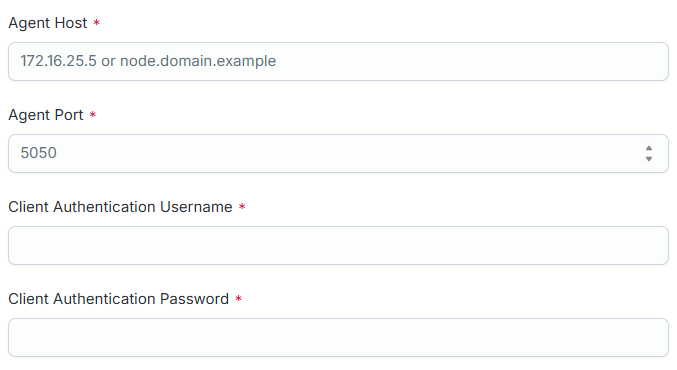
 Screenshot
-
In Agent Host, enter the host name or IP address of the system where the SailPoint Disconnected Application Agent is installed. For example,
172.16.25.5ornode.domain.example. -
In Agent Port, enter the port number used to connect to the SailPoint Disconnected Application Agent. The default port is
5050. -
In Client Authentication Username, enter the user name used for client authentication.
-
In Client Authentication Password, enter the password used for client authentication.
Note
SailPoint encrypts this data. -
Select Save.