Connection Settings
Configure the authentication parameters to connect to and authenticate with the Delinea Secret Server (On-Premise) – Secrets Manager.
 Screenshot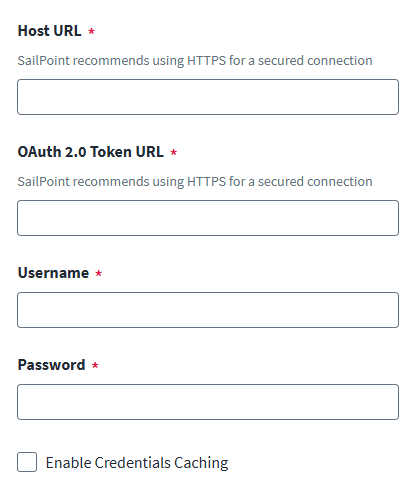
To configure an authenticated connection:
-
Enter the Host URL for the Delinea Secret Server (On-Premise) secrets manager.
-
Enter the OAuth 2.0 Token URL to request an access token.
-
Enter the Username and Password to authenticate with the Delinea Secret Server (On-Premise) secrets manager.
-
(Optional) Enable credential caching. For more information, refer to Caching Credentials.
-
Select Save.